


ISB · Industrial HMI
Merlin 4000
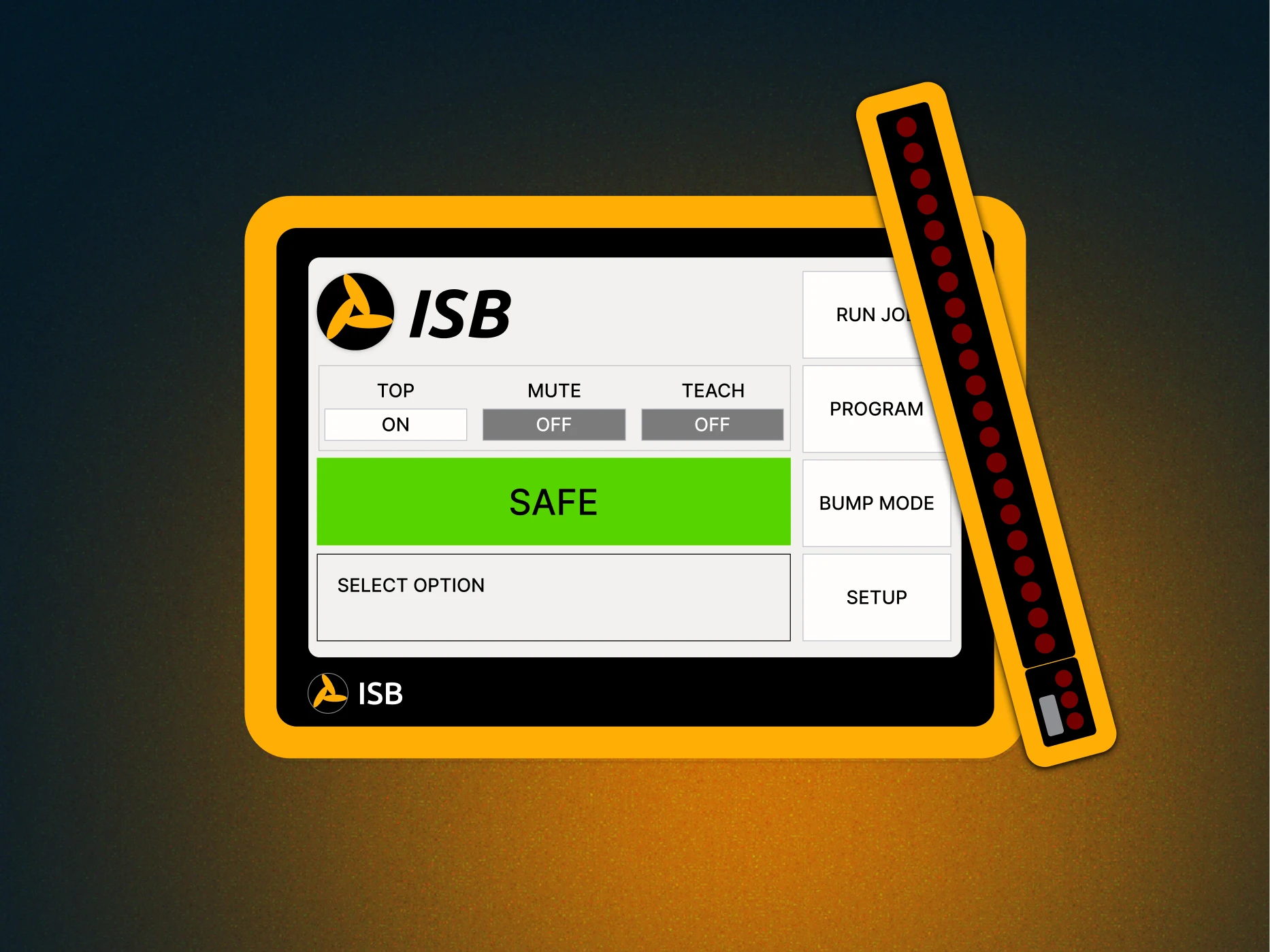
Rethinking press brake safety for the touchscreen era — a ground-up redesign of the Merlin 3000 guarding system.
- Role
- Lead Product Designer
- Client
- ISB
- Timeline
- ~8 months
- Platform
- 7" industrial touchscreen
Context
A safety-critical product stuck in the button era
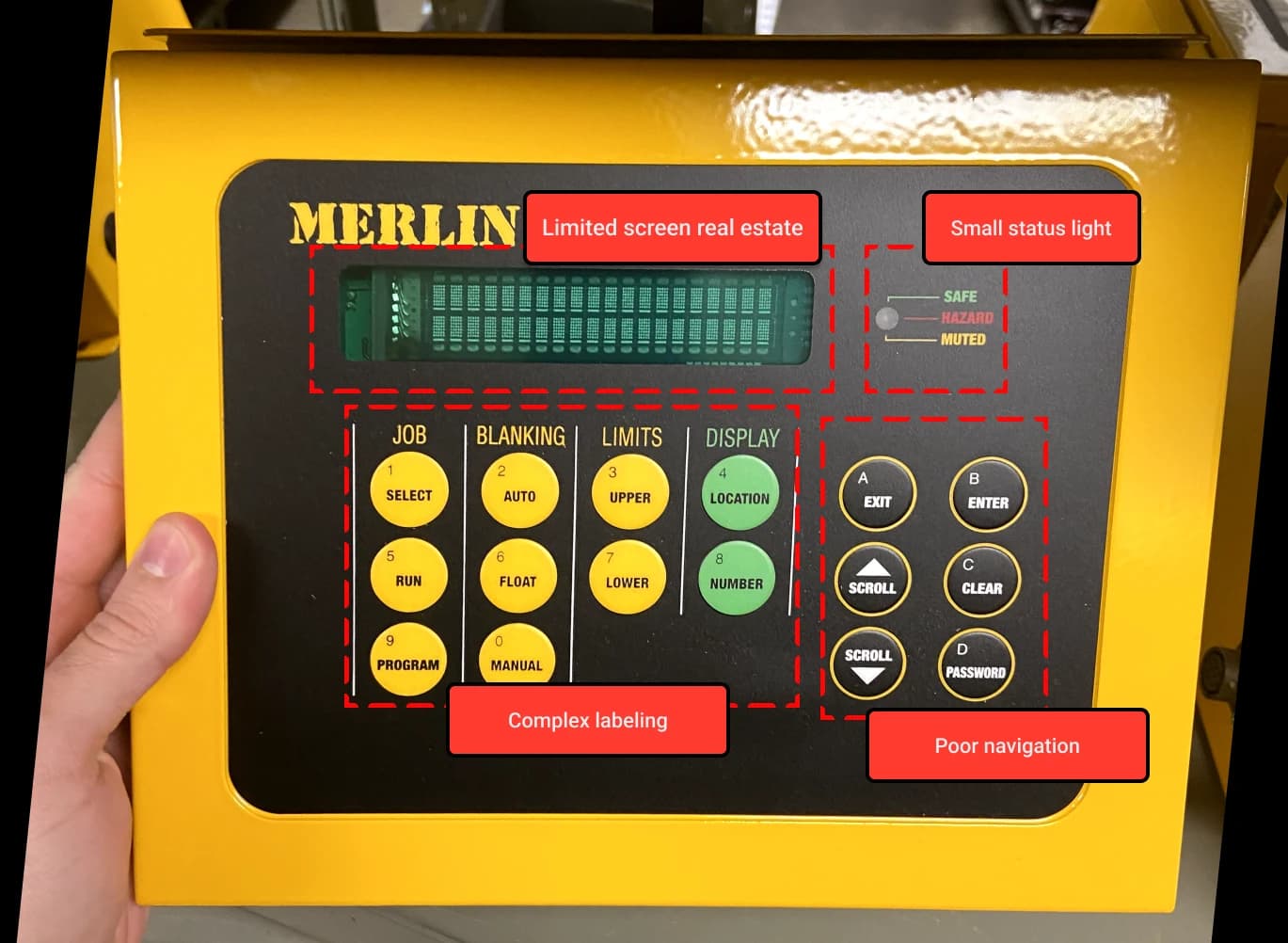
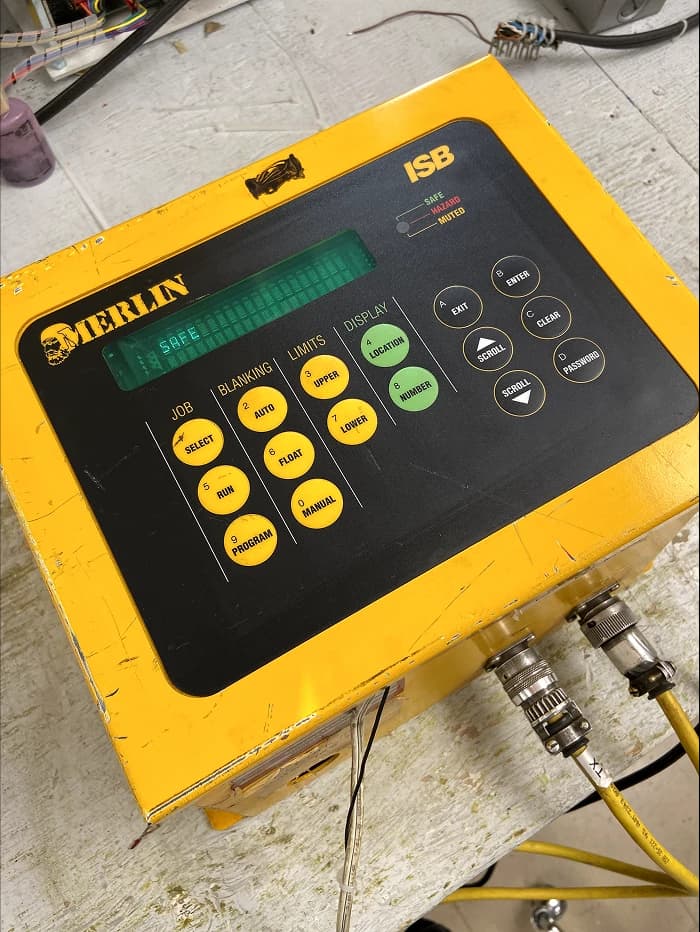
The Merlin 3000 guarded press brakes for decades — but its cramped display, 17 physical buttons, and a tiny status LED meant operators mis-programmed safety profiles and new hires needed weeks of training.
Findings from Primary Research
Outdated interfaces
Segmented displays with limited interactivity made navigation unintuitive.
Complex navigation
Button-based HMIs forced long learning curves and eroded operator trust.
Manual adjustments
Safety settings had to be hand-configured each run, adding cognitive load.
Limited data access
No backup, no job storage — every shift started from scratch.
Baseline metrics from the existing fleet
User satisfaction
Profile errors
Average time per setup
Concept
Ideation
I pushed for full touch — the hybrid kept us anchored to the 3000's mental model.
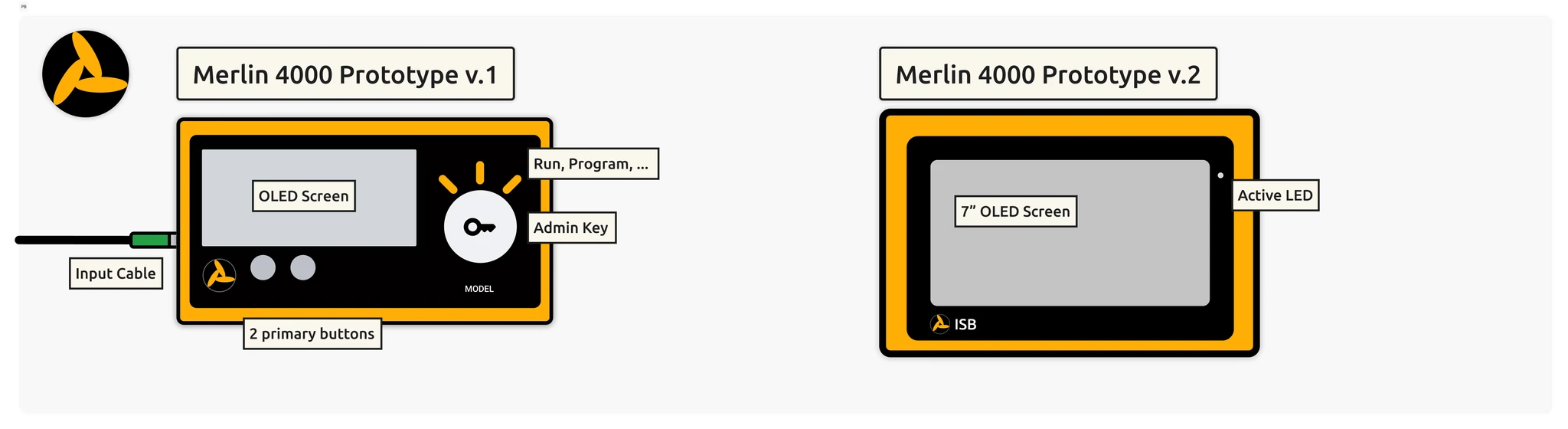
Three-step flow
Connect, authenticate, program — every screen held to that structure.
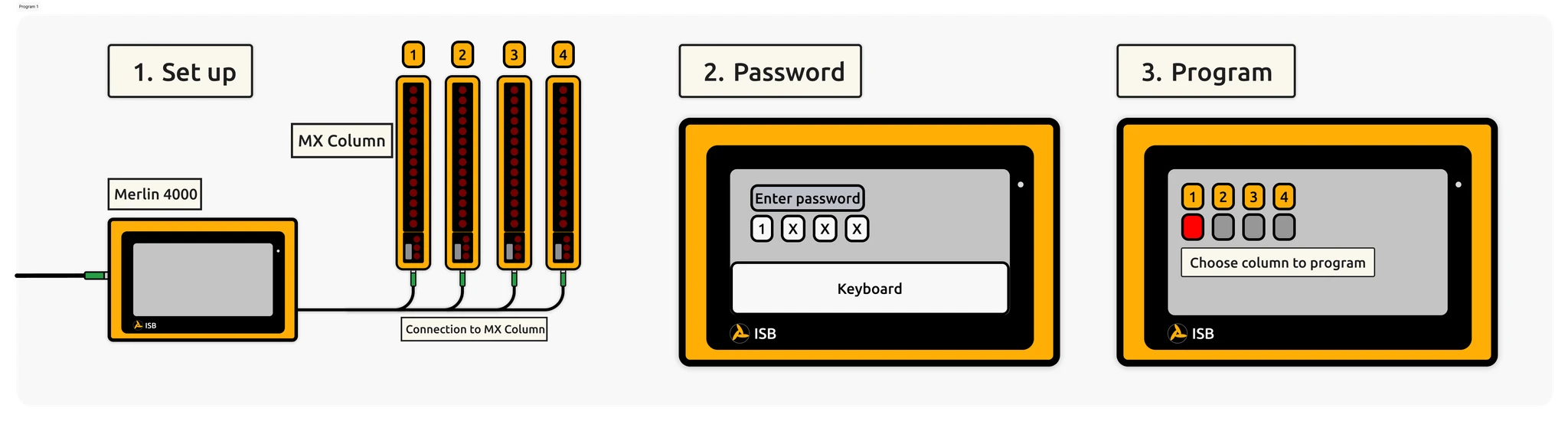
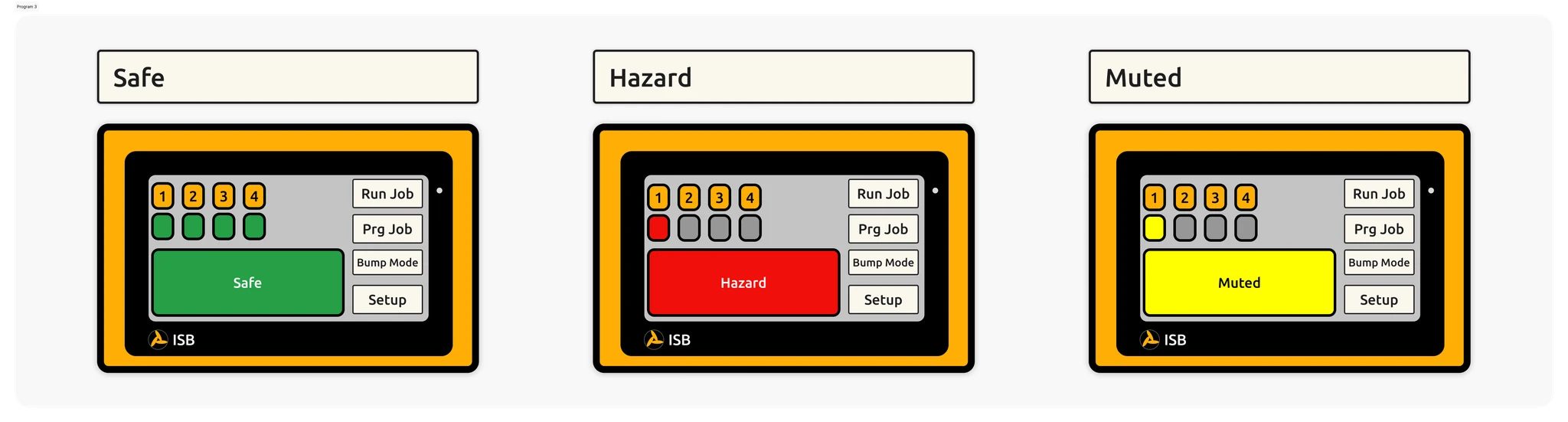
Safety Status Alert UI
Three colors, three words — operators get the same answer whether they're looking at the HMI or the guards.
Validating the designs
UI Choice
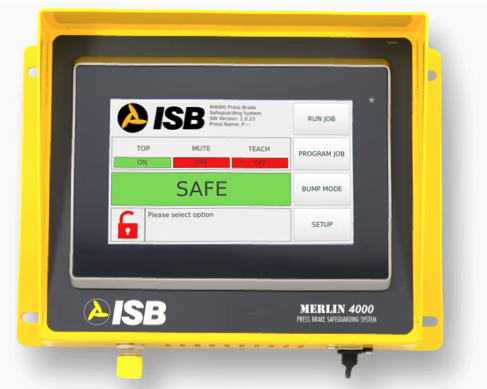
Large, accessible UI to showcase what mode the Merlin is in and whether it's safe for operation.
Program P indicator on MX columns
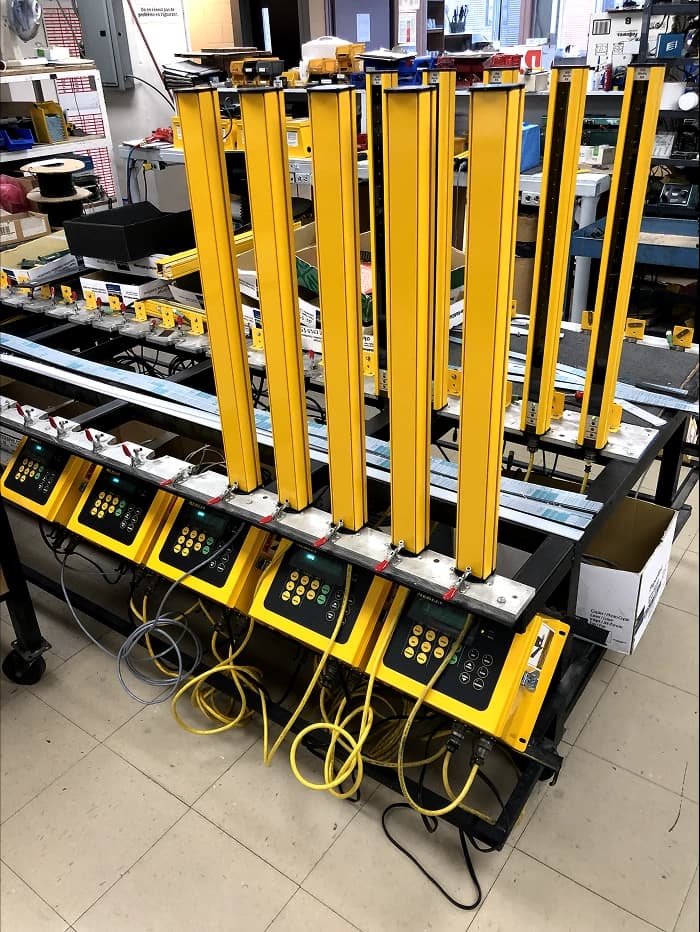
A simple “P” on the MX column screen tells workers the column is in program mode — no guesswork needed.
“Alerts are clearer,” and I'm less likely to miss critical warnings during high-pressure situations.
“The MX columns and the Merlin work together.” Sometimes I'm not near the Merlin, but I can still read the situation from the columns. That's a huge bonus.
Post-launch, programming errors dropped, training time collapsed, and upgrade intent climbed.
Clients willing to upgrade
Fewer programming errors
Drop in training time
Reflections
What I took from this project
Designing hardware and software as one system
Industrial HMI isn't a screen — it's a screen, a bezel, a mounting position, and an operator wearing gloves. Every design decision had to survive all of those at once.
Engineering as a design partner, not a gate
The strongest decisions — the full-touch commitment, the MX column “P” indicator, the three-state color system — all came from working sessions with engineering, not reviews.